Built for motorcycle riders
Your motorcycle rides. A closer look.
RideCommit is a motorcycle ride tracking and analysis app coming to iPhone and Android. It records your ride with your phone. After your ride, review what went well and what to work on in each analysed corner. Explore the route and replay the ride in 3D — recording and analysis work offline.
Join the betaSee how it worksBeta open on iPhone and Android


Recorded ride · Actual app screen

Record your ride
Mount your phone, start recording, and keep your attention on the road.
Learn from every corner
Entry, mid-corner and exit, scored for smoothness, not speed. A slow, clean corner scores 100.
Replay the ride
Open an individual corner or replay the route in 3D.
Your ride log
Your bike. Your rides.
Start your next ride and keep a record of the roads you’ve ridden.

Your next ride starts here.
See your motorcycle, latest ride and observations from past recordings. Start a new ride from your home screen.

Keep every ride within reach.
Browse past rides by date and name. Check the distance and corner summary, then open a ride for more detail.
Ready when you are.
Go straight to the recorder. You stay in control of when recording starts.
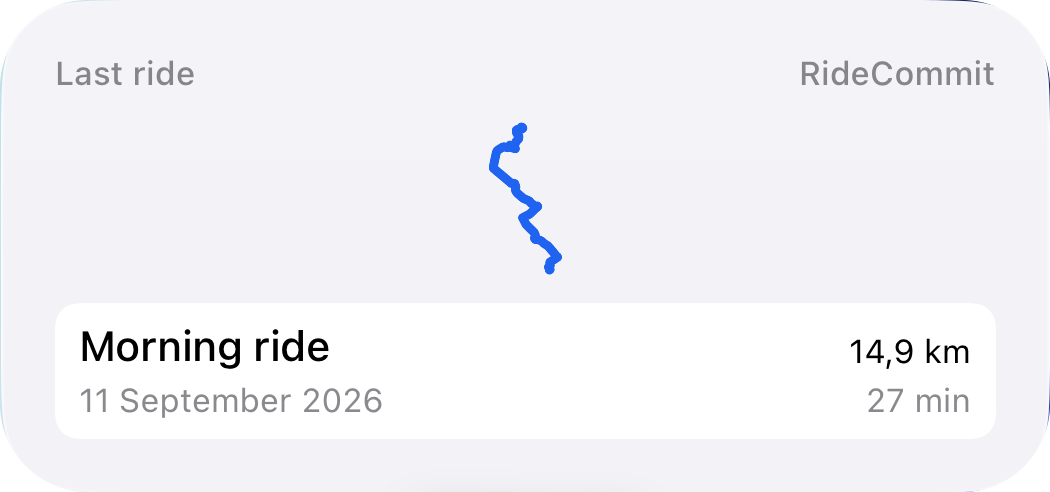
A road to remember.
Your latest saved route, distance and time. Tap to open the ride and take another look.
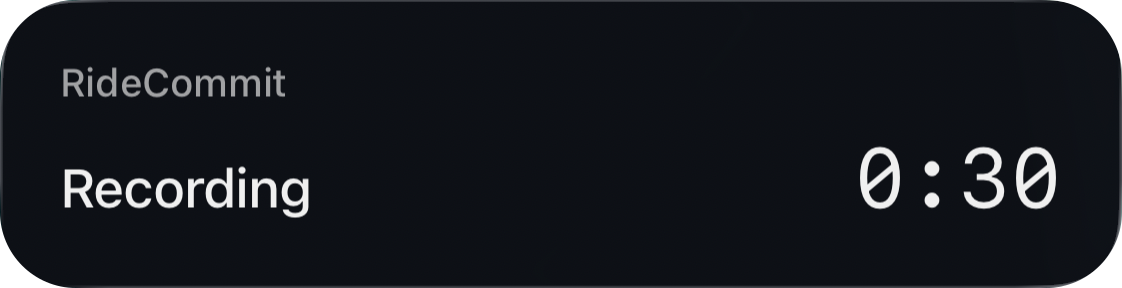
A glance while stopped.
Recording status and elapsed time on your Lock Screen, with a compact view in Dynamic Island.

01 / Corner analysis
Understand each corner.
Review corner entry, mid-corner and exit. See what the phone sensors detected, with speed and estimated lean angle for context.
Each corner gets three checks: braking finished before turn-in, one steering input with a steady throttle through the middle, and back on the throttle from the apex.
Braking and acceleration across the ride.
RideCommit estimates longitudinal G from phone motion: deceleration when you brake, acceleration when you open the throttle, with the minimum, maximum and average for the whole ride. It also lists each sustained hard braking event with its start and end speed, an approximate braking distance and whether GPS saw a near stop. Braking events never change a corner score, and the phone does not measure the brake lever or throttle.
02 / 3D replay
A road worth revisiting.
Replay your ride in 3D. Move along the timeline, change playback speed, and return to a corner that caught your attention.
The replay reconstructs your recorded GPS route. It is not video or a precise record of your position within a lane.
03 / Apple Watch
Your heart rate, corner by corner.
Wear an Apple Watch and RideCommit can record your heart rate while you ride. It starts and stops with the recording on your iPhone, so there is nothing to tap on your wrist.
After the ride, see your average and peak heart rate, how it changed over the ride, and how it rose through each corner. Heart rate describes effort and nerves; it never changes a corner score.
Optional and off by default. iPhone with an Apple Watch on watchOS 10 or newer. Heart rate stays on your iPhone and in Apple Health; it is never uploaded.
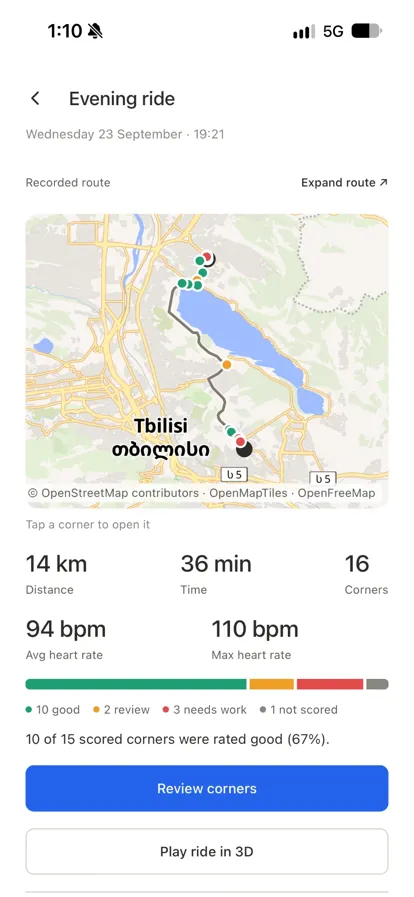
Heart rate beside the ride.
Average and maximum heart rate sit with the distance, time and corners of the ride. Actual app screen from an evening ride.
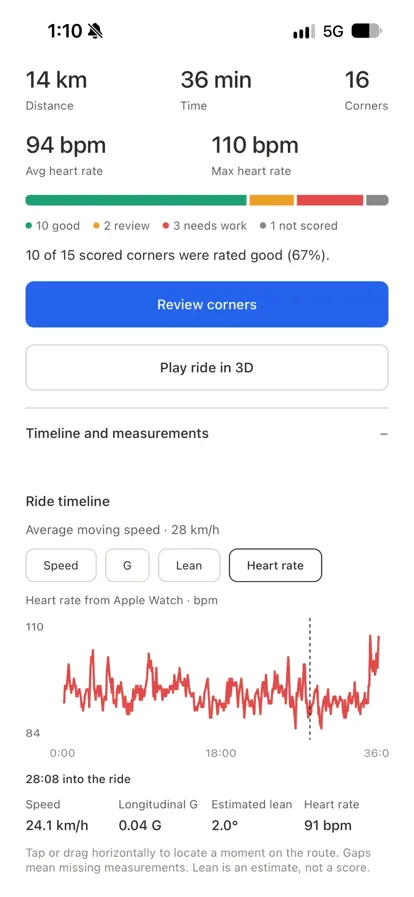
See it rise and settle.
Follow heart rate across the whole ride and check it at any moment next to speed and lean. Actual app screen from the same ride.
Record and analyse rides offline.
No account is required to record and analyse rides offline. Your data stays on your phone unless you sign in to an account and tap Upload to server. Then you can bring your profile, bike, photos, ride analysis and full recordings to another device with Sync from server.
A few useful answers.
How should I mount my phone?
Secure your phone to the motorcycle before you start recording. Mounting position, orientation and sensor quality affect the analysis. Stop somewhere safe before using the screen.
How accurate is the analysis?
On two test rides, the middle 90% of fused speed differences from GPS were about −0.5 to +0.4 km/h. Smoothed lean estimates differed from a GPS-based estimate by a median of about 1–2° above 20 km/h. These comparisons do not establish absolute accuracy or worst-case error. Lean estimates describe the combined motion of bike and rider; body position can change the bike’s actual angle. Corner scoring starts at 20 km/h. Mid-corner corrections and throttle chops are still being validated, so treat them as hints. A score is not a safety rating or a target to chase.
Do I need an Apple Watch?
No. The watch is optional and only adds heart rate. Recording, corner analysis and 3D replay work with just your phone, on iPhone and Android.
When can I use it?
iPhone and Android riders can join the beta now; everyone can join the waitlist for availability updates. RideCommit is being developed for iPhone and Android. Neither version has a public app-store release yet, and no release date has been announced.
iPhone beta
Sign up for the iPhone beta
Record real rides before the App Store release and tell us what works. The beta runs on TestFlight, Apple’s app for testing new apps. No sign-up form, no waiting list.
iPhone with iOS 16.4 or newer. Feedback through TestFlight or to khomeriki.dev@gmail.com.
- 1
- 2
Open the invitation
Open this link on your iPhone, then choose Accept in TestFlight.
Open the invitation - 3
Install RideCommit
Choose Install in TestFlight. New beta versions arrive there, and you can turn on automatic updates.
Android beta
Sign up for the Android beta
Record real rides before the public release and tell us what works. Join the tester group, open the invitation, and Google Play installs it like any other app.
Android 7 or newer, and a phone with a gyroscope — lean angle needs one. Feedback to khomeriki.dev@gmail.com.
- 1
Join the tester group
Opens Google Groups. Choose Join group with the Google account you use on your phone.
Join the group - 2
Open the invitation
The test is open. Use the same Google account you joined the group with, then choose Become a tester.
Open the invitation - 3
Install from Google Play
The invitation page links to RideCommit on Google Play. Updates arrive like any other app.
There’s another ride ahead.
Not ready for a beta? Leave your email and we’ll write once, when RideCommit is in the App Store and Google Play.